
CHEMPRO
Process Simulation
Features
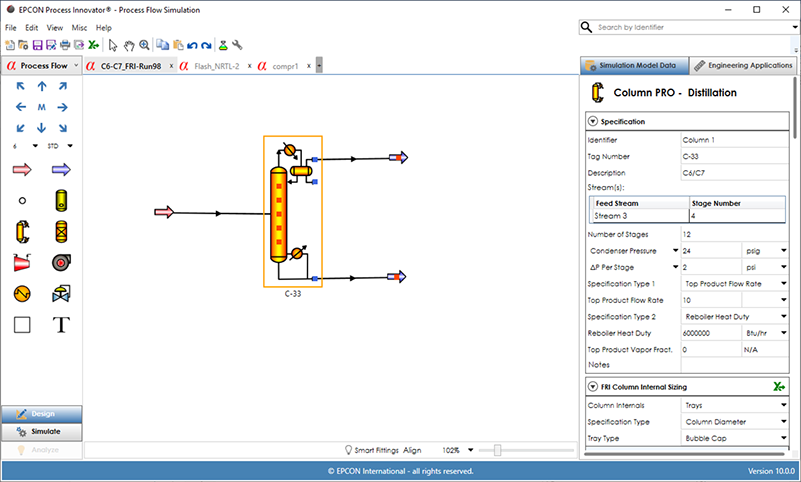
CHEMPRO Process Simulation includes Process Simulation for the analysis of process systems along with Column PRO, Therma PRO and Equipment Sizing Applications. The EPCON Process Innovator® simulation interface provides efficient design, simulation, and analysis of Process Simulation with the same interface design and ease of use as Flow Simulation in SINET. There are fifteen unit operations available for creating a process flow diagram (PFD). Once stream and unit operation data is entered, the PFD can then be simulated to predict unit operation performance and optionally determine pressure drops for liquid, gas and 2-phase streams when pipe data is entered on streams. Property Packages available in CHEMPRO contain all of the property methods for a specific process type based on recommended best practices in industry (Oil, Gas and Chemical property packages are most widely used) and can be customized. A summary of each stream and unit operation type are shown in detail below.
The EPCON Process Innovator® graphical user interface allows for the design, simulation, and analysis of process systems. Process Simulation provides hydraulic analysis of any stream (liquid, gas or 2-phase flow) and simulation of unit operations including columns, reactors, flash drums, compressors, turbines, pumps, heat exchangers, interchangers and let down valves.
Feed Streams
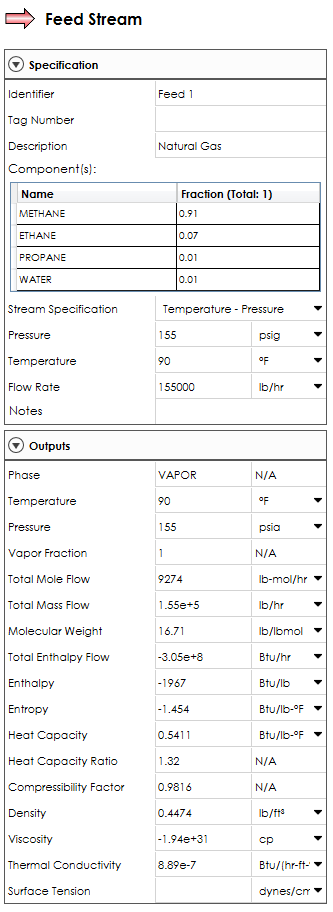
A feed stream requires entry of the stream composition from the components selected in the Physical Properties along with flow rate, temperature and pressure. Flow Type can be specified as mole, mass or volumetric in the dropdown list (Mole is default). A dominant component can be specified for a 3-phase flash.
Your content goes here. Edit or remove this text inline or in the module Content settings. You can also style every aspect of this content in the module Design settings and even apply custom CSS to this text in the module Advanced settings.
Product Streams
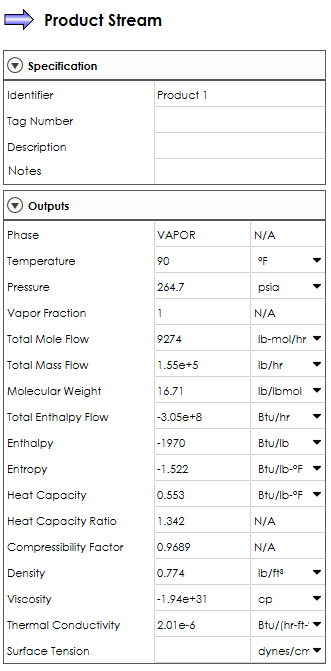
For Product streams, no input data is required since the composition, phase, flow, temperature, pressure and other physical properties will all be calculated.
Stream Pipe Data
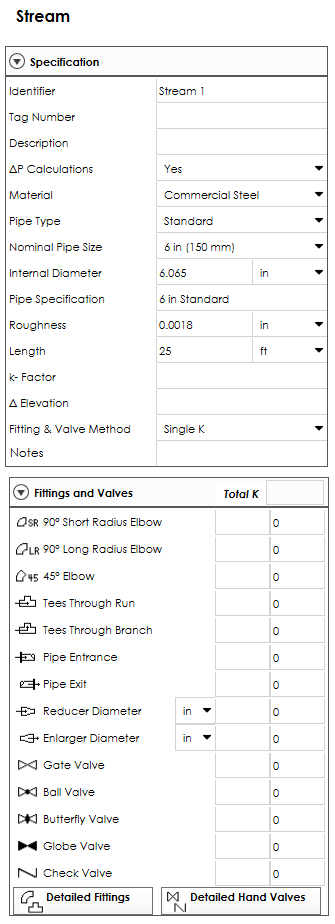
Stream pipe data can be entered by selecting a stream line between a feed, product or unit operation. Selecting ‘∆P Calculations = Yes’ will allow entry of pipe data that is required including material, pipe type, nominal pipe size, internal diameter, pipe specification, roughness and length. Then the pressure drop in streams with pipe data will be displayed in the stream output data. The phase of the stream is first determined and then the appropriate pressure drop correlation (liquid, gas, or 2-phase) is used.
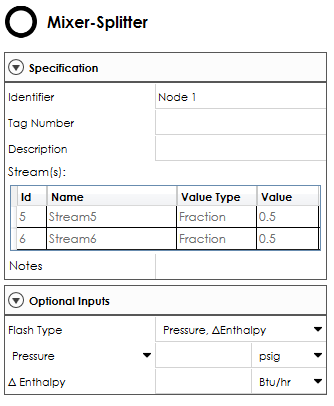
Mixer/Splitter
A mixture/splitter icon is represented by a small circle with all other unit operations represented by a specific unit operation type or alternative symbol. Mixer/Splitters are internal to the system through which all the flow entering into the node from a stream(s) leaves through a stream(s). A mixer (only one outlet), does not need any data input while splitters require input of flow splits.
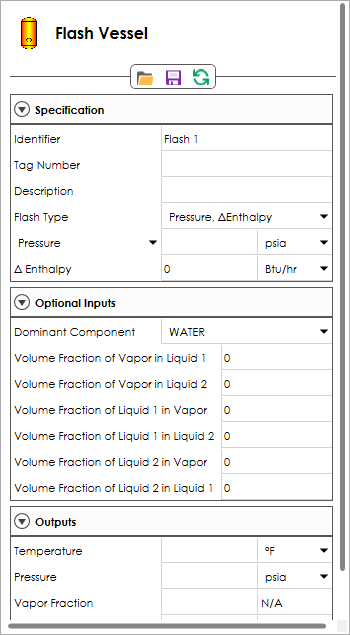
Flash Vessel
For a 2-phase flash, the top outlet will contain the vapor product from the flash and the bottom outlet will contain the liquid. The 3-phase flash allows for three outlet streams to be specified. The top outlet will contain the vapor product, the side outlet will contain the first liquid phase, and the bottom outlet will contain the second liquid (aqueous) phase if present.
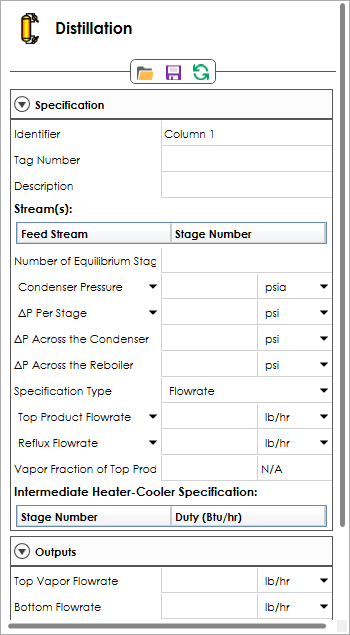
Column
A column can be simulated with all the loads fixed, (rating calculation), or to meet certain performance specifications for distillation, refluxed stripper, reboiled absorber and absorber/stripper unit operations. Condenser duty, condenser temperature, or fraction of vapor product is used to determine the type of condenser. A good estimated column temperature profile is automatically generated based on the feed stream conditions.
Reactor
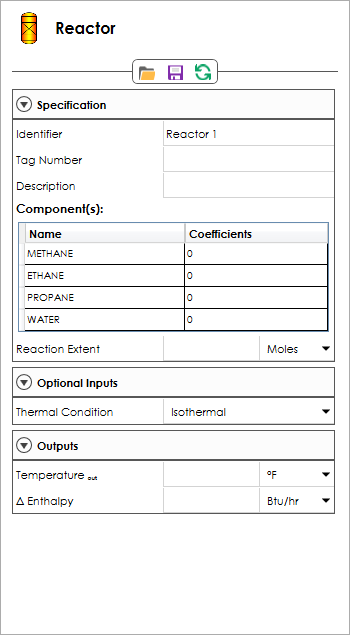
The Reactor Unit Operation is designed to simulate a reaction equation where ‘Reactants’ are combined to create ‘Products’ according to a stoichiometric relationship. The Reactor Unit Operation will then remove the Reactants and create the Products according to the Stoichiometric Coefficients entered.
Compressor
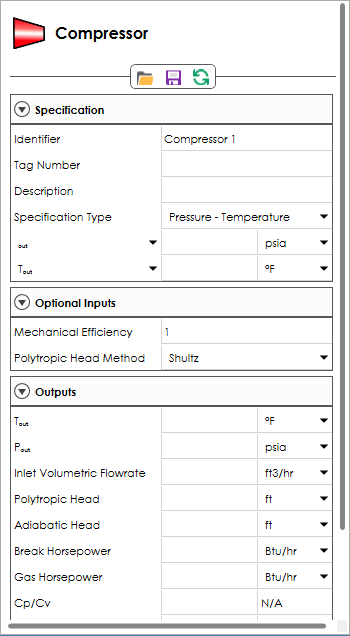
The Compressor Unit Operation provide both adiabatic and polytropic compressor and expander calculations – including liquid entropy and 3-phase mixture calculations for the inlet and outlet streams. The discharge pressure must be specified with one other input specification (discharge temperature, heat duty, compressor power, compressor head, pressure differential, inlet to outlet pressure differential and polytropic efficiency).
Exchanger
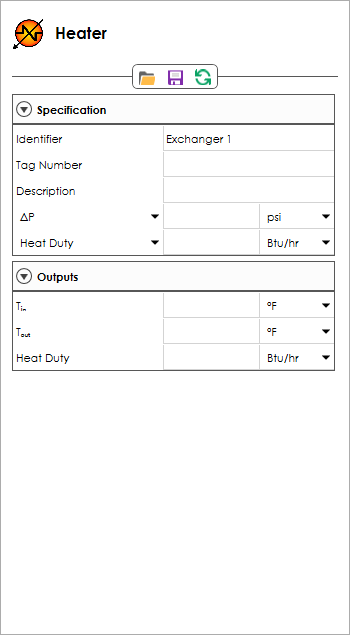
The Exchanger Unit Operations provide a Heater/Cooler for a single process stream and a Heat Exchanger for 2 streams to exchange heat between a hot and cold process stream (interchanger). Only one of the following heat transfer specifications needs to be specified for each side of an exchanger: heat duty, outlet temperature, differential temperature, vapor fraction, subcooling, superheating, minimum temperature approach (interchangers only).
Pump
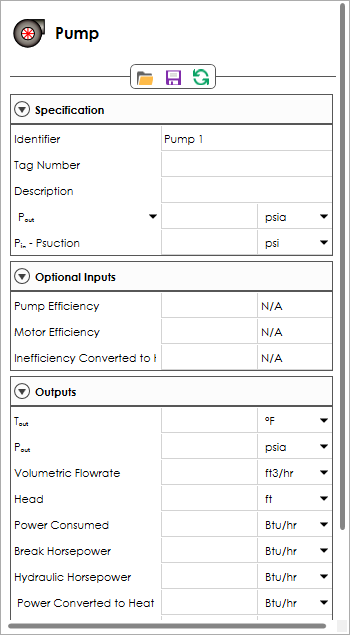
The Pump Unit Operation simulates a single stage of pumping and develops and tabulates the general process-related design data needed for specification of centrifugal pumps including estimates of power requirements. Pump and motor efficiencies may be provided by the user, otherwise they default to estimated values.
Let-Down Valve
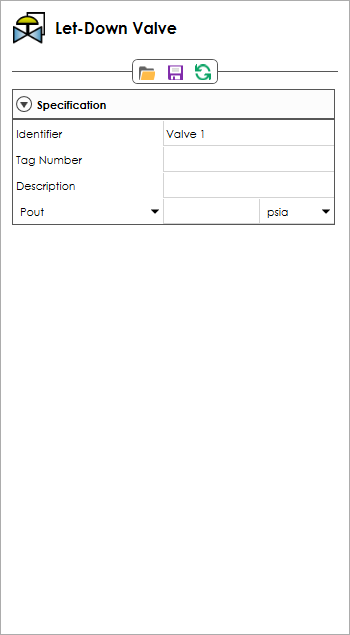
The Let-Down Valve Unit Operation is a simplification of the flash unit operation that allows only one inlet and one outlet and performing only a pressure – enthalpy (PH) flash. Entry of the outlet pressure or pressure drop is required.
Pseudo Components, SRK and NRTL parameters
Pseudo components can also be automatically generated by entering either a D86, D2887, or TBP crude assay along with the API or Specific Gravity. The generated pseudo components and calculated mole percentages are placed into the flash so that only the stream properties need to be entered to determine the phase split and properties of each phase. A databank of accurate SRK-KD and NRTL parameters is included that is automatically selected for component pairs -providing high quality 2-phase and 3-phase flash results. Use the View Binary Parameters button to display coverage of binary pairs. Experimental VLE data to create custom binary parameters for any system of interest is available from DDBST (www.ddbst.de).
Property Packages
The property packages used in the Process Innovator set all of the property methods for a specific process type based on API recommended best practices in industry. For the Oil, Chemical and Gas processing industries, these named property packages are recommended. The API property package provides agreement with the API Tech Data Book and the Steam property package is for use in simulation of steam systems with multiple pressure levels, let down valves, and turbines. View optional property method choices for each property package.
Pure Components
Over 2000 pure components are available from the AIChE DIPPR® Database for specifying the components in the simulation (DIPPR is a registered trademark of AIChE and is used with permission).
Pseudo Components
The pseudo component option allows for entry of one pseudo component at a time by specifying a specific or API gravity and boiling point (molecular weight optional). To generate a series of components related to an assay, enter the assay data.
Binary Interaction Information
A databank of accurate PR, SRK-KD and NRTL parameters is included that is automatically selected for component pairs. Use the View Binary Parameters button to display coverage of binary pairs. Experimental VLE data to create custom binary parameters for any system of interest is available from DDBST (www.ddbst.de).